
From the Help Desk file…
Reported issue: Client can’t open an email attachment.
Attachment name: MessedUp.xls (file name changed for jocularity)
Details: When you try to open the attachment, Excel pops up the error message:
“The file you are trying to open, ‘MessedUp.xls’, is in a different format than specified by the extension. Verify that the file is not corrupted and is from a trusted source before opening the file. Do you want to open the file now?”

If you click “Yes” the file opens in Microsoft Excel (or Word, depending on the file extension).
The results of blindly clicking “Yes” and just plowing forward are so confusing that even Beck couldn’t make sense out of these lyrics.
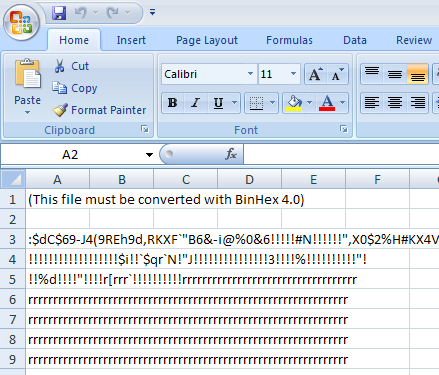
In Excel, cell A1 says:
“(This file must be converted with BinHex 4.0)”
Microsoft Excel (That ain’t no spreadsheet, bro)
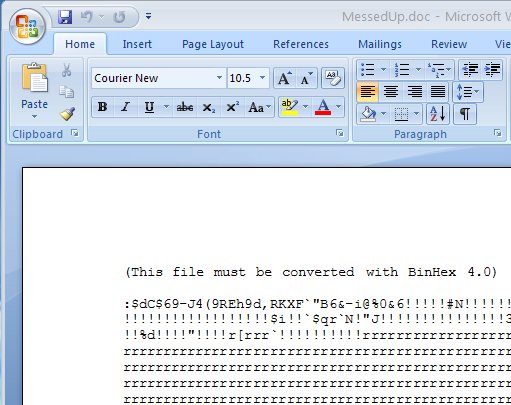
Microsoft Word (similar dreck)
Notepad (slight exaggeration)

What are we looking at? This is a compressed document, but in a format most folks (especially PC users) aren’t familiar with. If you Google BinHex or the error message “This file must be converted with BinHex 4.0” you’ll find everything from sites talking about TRS-80 computers to Macs. Most of the links are dead-ends and offer no satisfaction regarding how to turn this file from garbage back into usable data. Hope, that you can easily cope with a conversion like word 2 pdf yourself.
Solution: You need StuffIt Expander to expand the file.
- Download & install StuffIt Expander (16.7 MB)
http://www.stuffit.com/win/expander/index.html - Save your attached ‘MessedUp.xls’ document to your hard drive
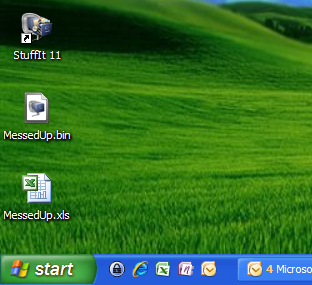
- Rename it ‘MessedUp.bin’, and choose ‘Yes’ when asked if you’re sure you want to rename the file extension.
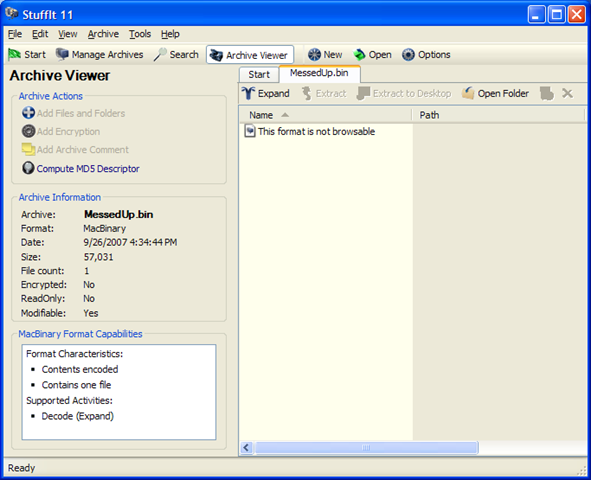
- Double-click your ‘MessedUp.bin’ file, it should now open in StuffIt.
- Click the “Expand” button (shown in the picture).
- Select where you’d like your expanded file to be saved, and click OK.
- You should now have a sufficiently un-rubbled .XLS spreadsheet or .DOC document. You can delete the original ‘MessedUp.bin’ file. Grab that cup of Joe and take a victory-sip!
Postmortem: Why does this happen? In this particular instance, the file attachment was sent by a Mac user to a Windows PC user. It’s not entirely clear if the renaming of the file extension was intentional or an accident, but the end result is similar to the AOL MIME email attachments back before Y2K (those were heady days 😉
Best Practice: If you’re sending an email attachment to someone on a different platform, you may avoid some headaches by just zipping the attachment instead of dragging it in the native format into your email client.